Quran Learning
Memorise step by step, revisit lessons, and grow with teacher guidance.
- 1 live session a week • 1 hour
- Parent-visible feedback
- Follow attendance, lessons, and teacher feedback in one place.
Live Quran memorisation and Python classes for children aged 8 to 16.
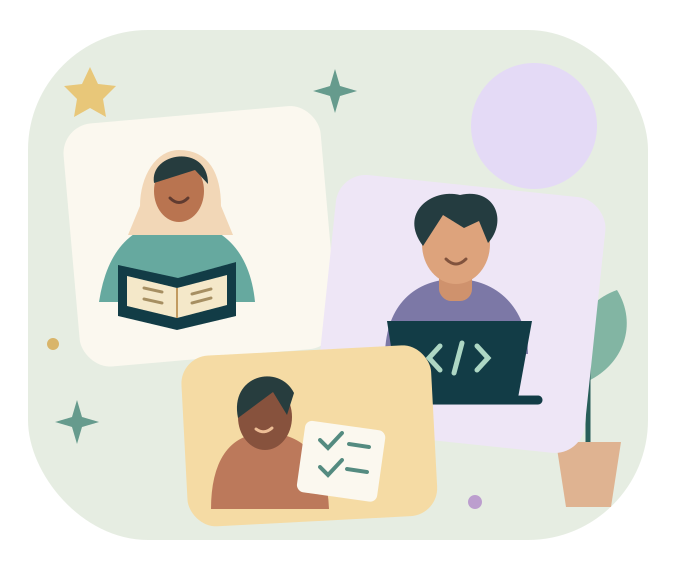
Dedicated time for questions and teacher guidance.
Follow attendance, lessons, and teacher feedback in one place.
A parent-managed account, with no public chat between children.
Memorise step by step, revisit lessons, and grow with teacher guidance.
From a first variable to a small project. Make room for logic and creativity.
A beginner pathway for ages 8–16 to understand logic, write small programs, test them and explain them with teacher guidance.
12 teaching weeks, approximately 3 months. Dates and holidays are confirmed at enrollment.Objective: Understand instructions and algorithms, then run a program using print().
Practical exercise: Sequence an everyday task, then print three welcome messages. Explain their execution order.
Objective: Name variables, distinguish strings from integers, and use simple arithmetic.
Practical exercise: Create an imaginary character with a name, age and points. Change the points and print the result.
Objective: Use input() to receive text and include it in a clear message.
Practical exercise: Write an assistant that asks for a nickname and hobby, then responds personally. Do not use private information.
Objective: Convert simple numeric input with int() and connect input, variables and output.
Practical exercise: Build a calculator that adds two integers. Test three cases with the teacher and observe a non-numeric input.
Objective: Compare values and use if / elif / else to choose a response.
Practical exercise: Create a three-choice question. Give feedback for a correct answer, wrong answer or unknown choice.
Objective: Use for and range() to repeat a task and track a counter.
Practical exercise: Print a multiplication table, then total points over five rounds.
Objective: Create a list, access an item and iterate through its items.
Practical exercise: Create a list of three short questions and display them in order with a loop. Add a fourth question.
Objective: Read a simple error, fix indentation, names and logic, then retest.
Practical exercise: Fix three errors in a teacher-provided mini-quiz. Record the input, expected result and actual result.
Objective: Define a simple function with parameters and return a result.
Practical exercise: Create a function that asks a question and returns a point for a correct answer. Use it for two different questions.
Objective: Choose a quiz topic, describe its steps and define success criteria before coding.
Practical exercise: Prepare three to five questions and answers. Sketch the flow: welcome, questions, points, result. Prepare the program structure with the teacher.
Objective: Combine input, conditions, repetition and functions into a working program, then test its score.
Practical exercise: Build the interactive quiz. Test all-correct, all-wrong and mixed answers, plus an unknown choice. Fix the errors.
Objective: Present a finished program, explain some code and a small change, and receive personalised feedback.
Practical exercise: Give a three-to-five-minute quiz demonstration. Submit the .py file and three test cases. Explain something learned and one desired improvement.
The child builds a console quiz with 3–5 multiple-choice questions, a score and a result message. It uses variables, conditions, a loop and at least one function, followed by a demonstration and explanation.
Checkpoints in weeks 4, 8 and 12 assess understanding, functionality, testing and explanation. Feedback is shared with the parent.
Each session: 10 minutes of review, 15 minutes of demonstration, 25 minutes of guided practice and 10 minutes of feedback and questions.
Ages 8–11: templates and shorter exercises with more guidance. Ages 12–16: more independence and optional challenges such as replay. Support also adapts to each child’s experience.
A computer with a keyboard, Internet access and a Python 3 environment prepared by the parent with teacher guidance are needed. Progress can be viewed on mobile, but coding takes place on the computer. Optional 10–15 minute practice between sessions.
Enrollment is confirmed after payment validation.
1 live session a week • 1 hour
From a first variable to a small project. Make room for logic and creativity.
Register my child1 live session a week • 1 hour
Memorise step by step, revisit lessons, and grow with teacher guidance.
Register my child2 sessions a week • 1 hour each
A balanced learning journey combining memorisation and creative thinking.
Register my childManual payment / contact us for payment · Contact us
For children aged 8–16. A parent creates the child profile and follows their learning.
Live on Google Meet or Zoom: one hour each week per program.
Contact us for manual payment. Enrollment is confirmed after payment validation.
Child information is restricted to the parent, administrators, and assigned teachers as needed. Child profiles and class links are never public.
Privacy policy ↗Manual payment / contact us for payment